
Store Credit on Santevia.com
At Santevia, we may issue store credit to your account in certain situations. This credit can be applied toward future purchases made directly on Santevia.com.
This article explains how store credit works and how to use it at checkout.
What Is Store Credit?
Store credit is a balance added directly to your Santevia customer account. It can be used toward eligible purchases on our website. Store credit is securely stored in your customer account and is not issued as a gift card code. No redemption codes are required to utilize store credit.
How Store Credit Is Issued
When store credit is added to your account:
You will receive an email notification confirming the amount.
The credit is tied to the email address associated with your Santevia account.
No code is required to redeem it.
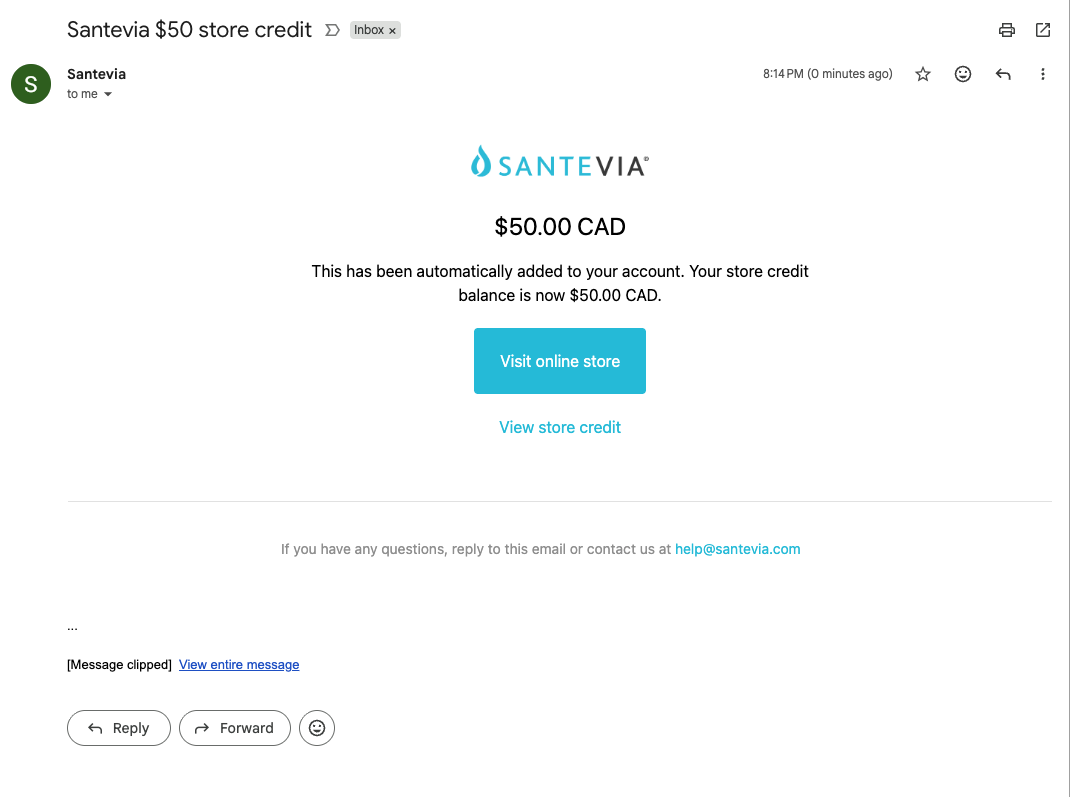
How to Use Store Credit
To apply your store credit to an order:
Log Into Your Account - Store credit is only available when you're logged into the account associated with the credit.
Add Items to Your Cart - Shop as usual and proceed to checkout.
Go to Checkout - If you are logged in and have available store credit, it will automatically appear as a payment option.
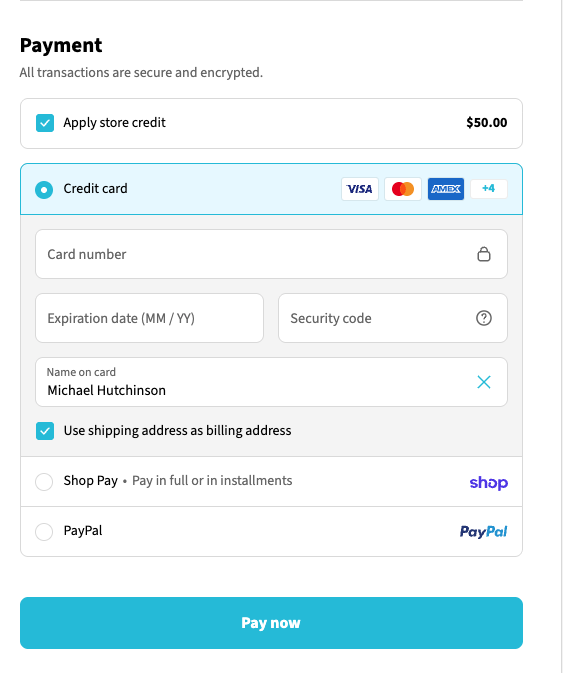
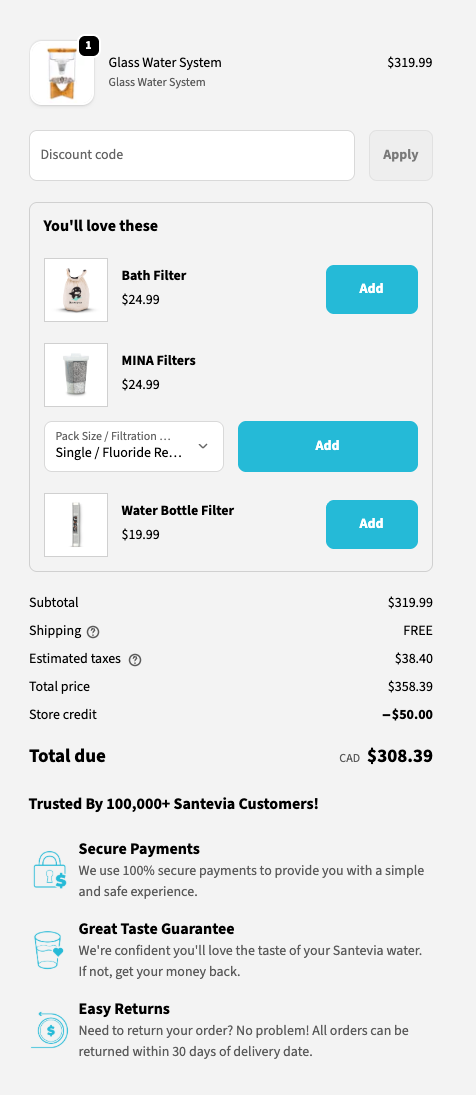
Apply Your Store Credit - You’ll see your available credit displayed at checkout. You can apply it toward your order total. If your credit covers the full order amount, you won’t need to enter another payment method. If your credit does not cover the full total, you can pay the remaining balance using a credit card or another accepted payment method.
Important Things to Know
Store credit can only be used on Santevia.com.
You must be logged into the correct account to use it.
Store credit cannot be transferred to another account.
Store credit cannot be redeemed for cash.
Any unused balance will remain in your account for future purchases.
Why Don’t I See My Store Credit?
If your credit isn’t appearing at checkout:
Make sure you're logged into the correct email account.
Try logging out and back in.
Confirm you’re shopping directly on Santevia.com.
Ensure you're not using accelerated checkout options (like Shop Pay, Apple Pay, or PayPal) before logging in.